How to integrate with MailPoet
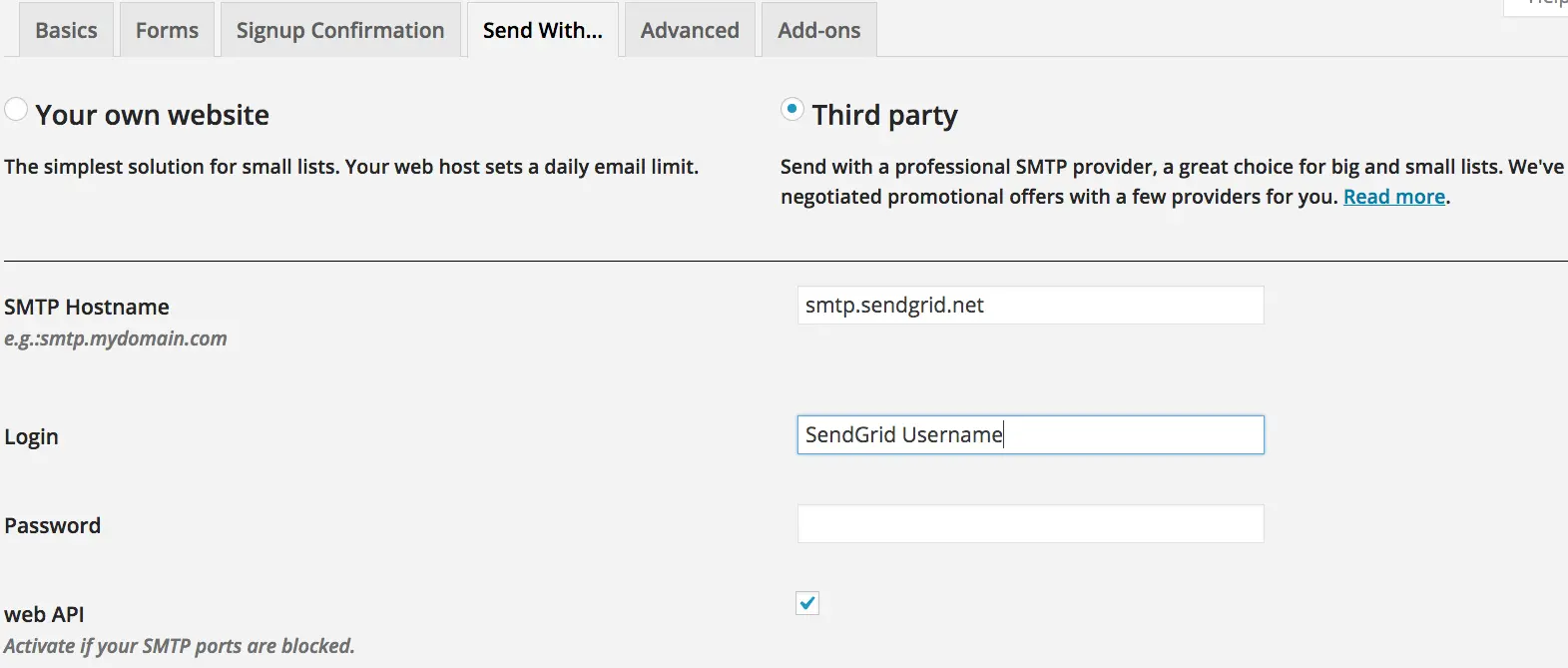
MailPoet sends email in WordPress. To configure MailPoet to send through SendGrid, follow these steps:
- Select Third Party.
- Enter in SMTP hostname as
smtp.sendgrid.net. - Enter in your SendGrid username and API key.
- Select Use Web API.