Studio
Twilio Studio is a low-code/no-code visual builder that lets you create, edit, and manage communication workflows. Drag widgets onto the canvas to build voice, messaging, and other communication applications, then add code only when you need custom logic. Studio supports use cases such as order notifications, phone trees, survey tools, and SMS-enabled chatbots.
For plans and pricing, see the Studio product page. Additional fees for the underlying Twilio services are not included in Studio pricing.
If you're using Studio to develop HIPAA-compliant healthcare applications, see Twilio and HIPAA for information about requirements and how to get started.
Get familiar with the Studio canvas and widgets with the Studio User Guide.
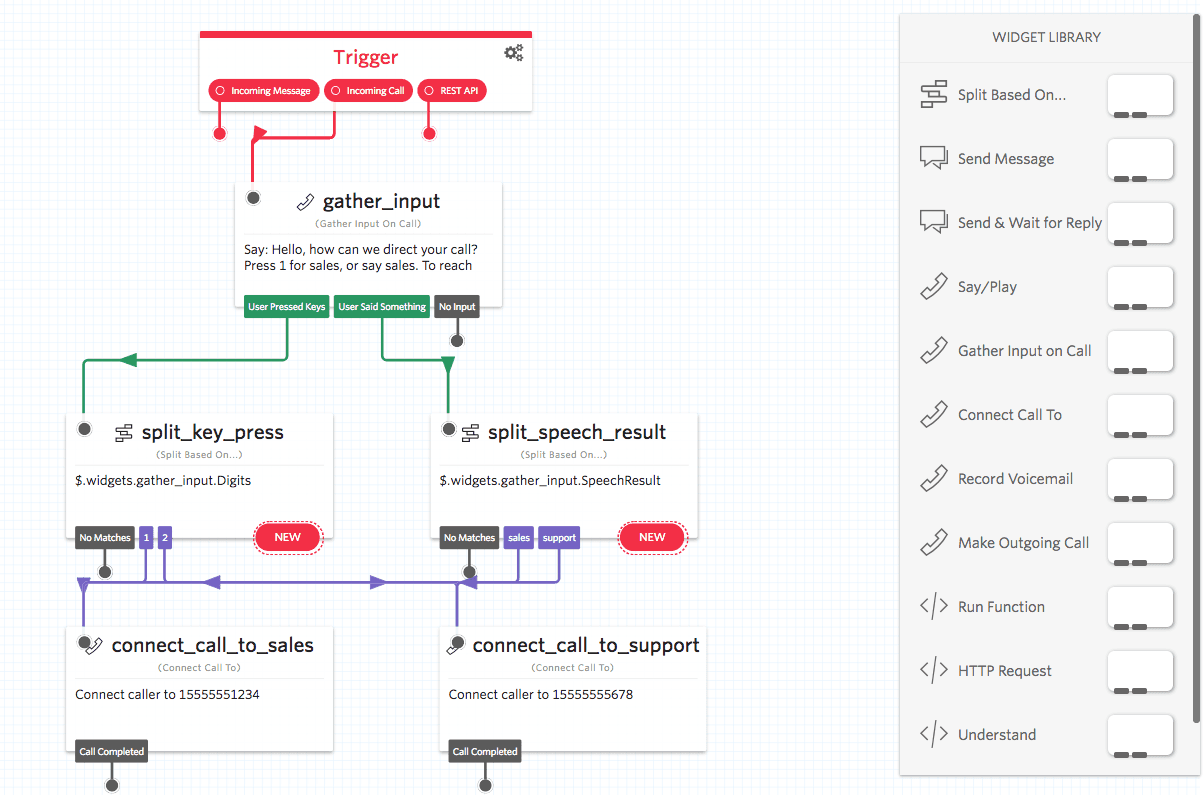
- Explore the Studio Widget Library to learn about available widgets and configuration options.
- Learn more about the Liquid template language to bring additional functionality to your Flows.
- Visit the REST API reference page to learn more about requests you can make.
- Check out Event Streams to subscribe to Studio Flow events for real-time reporting.
The following tutorials use ready-made templates for common business use cases: