2026 Email Deliverability Guide
Learn what email deliverability is, why it matters, steps you can take to guarantee your messages land in customer inboxes, and more.
Time to read:
AI generated summary
- Email is transforming with AI; major providers now summarize and extract key information into inbox previews
- Compliance with new authentication requirements is crucial for maintaining email deliverability
- Leveraging schema markups and focusing on recipient engagement can enhance email performance
- Twilio’s expertise offers solutions to navigate email challenges and optimize deliverability
This summary was generated by AI.
2026 email deliverability guide
Your first reader is a machine
Before a single human reads your email, a machine reads it first.
A few of them, actually. An authentication check decides whether you're really you. An AI-powered spam filter decides whether you're worth delivering. AI assistants decide how your email even looks: summarizing your subject line, pulling your discount code into the preview, or answering your reader's question so they never open the thing at all.
Win those machines over, and you earn a shot at the human behind them. Lose them, and your perfectly good email dies in a spam folder.
That's the job in 2026. It got harder over the last year, and it'll get harder again in the next.
Ultimately, email still works.
It returns more per dollar than any other channel, and across every age group, people still rank it as their go-to. Nobody's abandoning email. They're just experiencing it through a thickening layer of machines. Your Gen Z subscribers read AI summaries. Your Gen X subscribers grab a code straight from the preview and head to your site.
Both engaged with you. But neither one shows up cleanly in your analytics.
This goes beyond marketing, too. Think about the email your customers need: password resets, order receipts, shipping updates, opt-in confirmations. When those don't land, you're not just losing a sale. You're losing trust. Do it enough and you lose the customer.
Fortunately, you’re still in control of getting to the inbox.
This guide walks you through every layer between your send button and your reader's attention. We cover what authentication providers demand, reputation signals that decide your fate, the AI standing between your words and your audience, and the sending habits that keep you welcome.
What's new in the 2026 edition:
Google pulled the plug on reputation scores: Postmaster Tools retired the domain and IP reputation data senders leaned on for years. Learn what to watch instead.
Yahoo opened up new data: Yahoo 'Insights' hands senders their true complaint rate for the first time.
Gemini moves into Gmail: Gemini joins Apple Intelligence in reshaping how your emails get read.
France drew a line on tracking pixels: The CNIL says open tracking needs explicit consent, and other regulators may follow.
Rendering is now a reputation issue: Broken emails don't just look bad, but they cost you deliverability.
DMARC monitoring is the new must-have: The road to enforcement (and to your logo in the inbox with BIMI).
Yahoo cut its storage limits: Mailbox-full blocks spiked, and your sunset policy needs to keep up.

Google, Yahoo!, and Outlook sender requirements
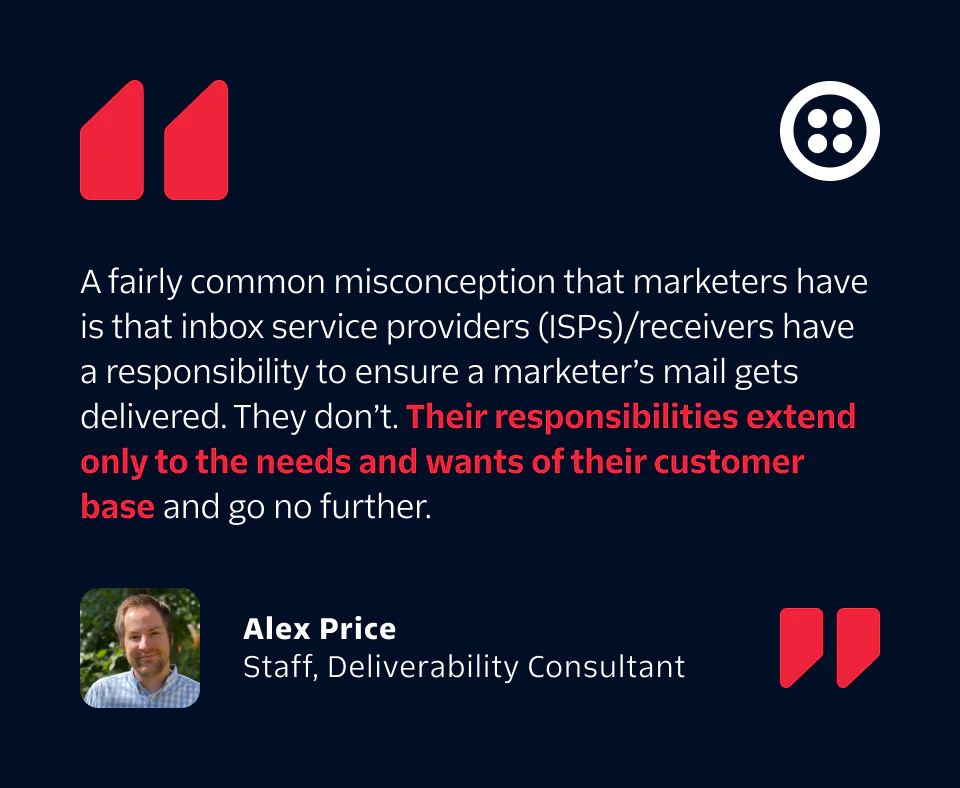
Google and Yahoo dropped sender requirements in February 2024, and Outlook joined the movement in May 2025.
These requirements have been email best practices for years. The only thing that changed is the consequence.
“Legitimate senders should be thrilled with Google and Yahoo’s sender requirements. The majority of spammers won’t be able to meet the requirements and your customers’ inboxes will be less cluttered as a result,” says Denis O'Sullivan, Principal Deliverability Consultant at Twilio.
The good guys win, the bad guys get blocked, and everyone's inbox gets a little cleaner.
The baseline every provider now expects
Google, Yahoo, and Microsoft landed on nearly identical rules, so we'll cover them once. If you send bulk email (roughly 5,000+ messages a day to a given provider), these apply to you:
SPF and DKIM authentication: Both. SPF (Sender Policy Framework) and DKIM (DomainKeys Identified Mail) verify you are who you say you are and protect against spoofing.
DMARC policy: A published DMARC record with at least a policy of 'none' and SPF or DKIM alignment. This builds on SPF and DKIM to shut down spoofing.
One-click unsubscribe: Make it simple for people to unsubscribe, and honor it fast.
Spam rates below 0.3%: Keep complaints low. Google gives you a daily spam dashboard to watch it.
Valid reverse DNS: Set up proper PTR records for your sending IPs.
Google made this easy to track with its spam compliance dashboard, which shows your exact daily spam rate against the 0.1% recommended threshold and the 0.3% violation line.
When Outlook joined (covering Hotmail and Live.com too), it tacked on four recommendations:
Compliant sender addresses: Use real, reply-capable addresses.
Functional unsubscribe links: No broken or hidden unsubscribe processes.
Bounce management: Clean your lists monthly or quarterly.
Transparent practices: No deceptive subject lines or headers.
For senders overwhelmed by these new requirements (especially those sending over 5,000 messages per day), our Professional Services team can help navigate domain authentication, DMARC setup, and other compliance issues. Contact us today for expert guidance and support.
Artificial intelligence has moved into the inbox
In 2025, mailbox AI mostly summarized and previewed your emails. In 2026, it reads them, sorts them, pulls them apart, and increasingly acts on them before your customer does. That's a new set of challenges (and a few real opportunities) for every sender.
Now Gmail can sort your Promotions tab by relevancy, floating the brands a user engages with most to the top, plus 'nudges' that spotlight timely deals. Great news if your subscribers want your email. Rough news if you're blasting an unengaged list, because that mail sinks. Plus, a new 'Purchases' tab pulls order confirmations, shipping updates, and delivery info into one place.
AI is rewriting your preview text
Apple Intelligence generates summaries of your emails that show up in the inbox preview, sometimes replacing your carefully written preheader. Instead of your subject line and preview combo, an iPhone user might see Apple's interpretation of what your email says.
So your clever "Your exclusive offer awaits" subject line might get flattened into an AI summary that just shows the discount percentage. The machine spoiled your reveal.
AI is pulling your emails apart
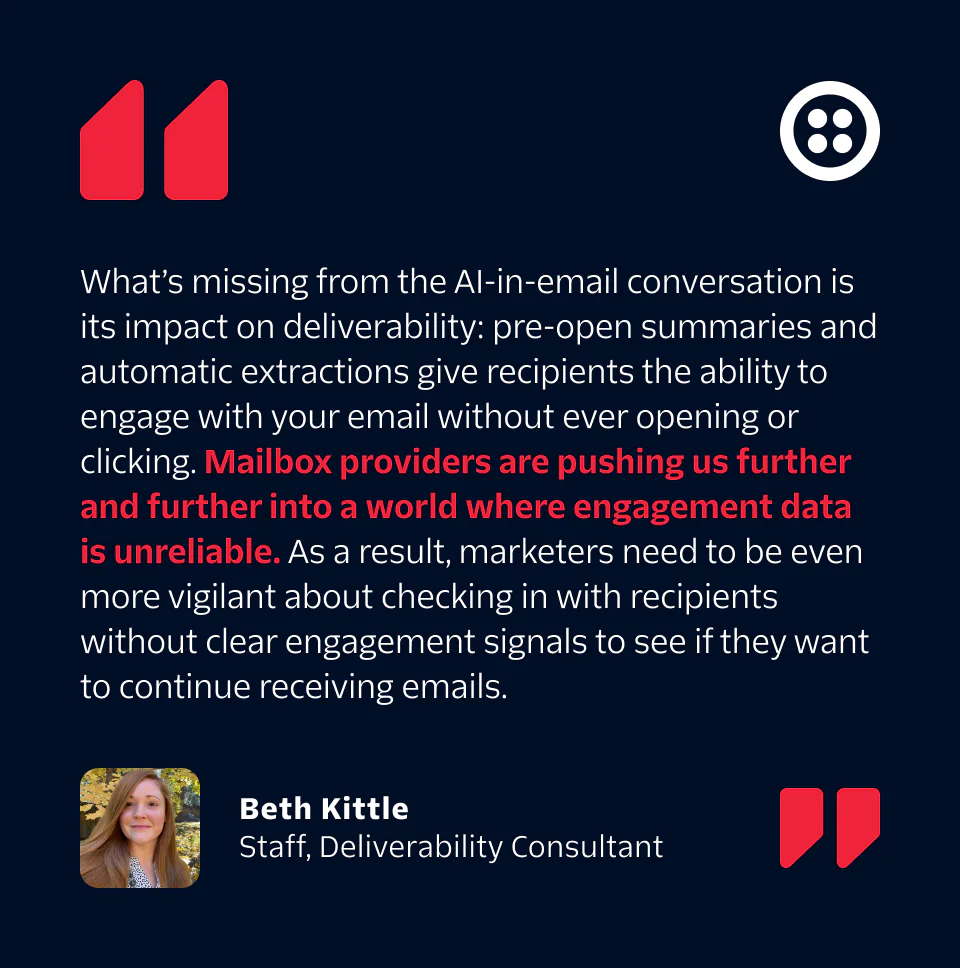
Then there's automatic content extraction. Gmail and Yahoo now use AI to lift key details (discount codes, sale percentages, expiration dates, images) straight out of promotional emails and into the inbox preview.
Here's what you might see:
Smart image selection: AI picks the preview image, and it's not always your hero shot.
Code highlighting: Discount codes get surfaced for one-tap access.
Content shortcuts: Key details land in the preview, so recipients may never open the email at all.
It serves your recipients well. It doesn't always serve you.
When someone spots a code in their Gmail preview and heads straight to your site to buy, that conversion may never get attributed to your campaign. Your email drove the sale, but your tracking just won't prove it.
As more of the interaction happens outside the email itself, opens and clicks become weaker signals of engagement. This isn't a footnote anymore. It's the main event of measuring email in 2026, and it's only accelerating as full mailbox assistants (Gemini in Gmail) start reading, triaging, and answering on the user's behalf.
Stop treating opens as truth. Lean on clicks, conversions, replies, and downstream activity to figure out who's engaged.
Mailbox AI: Gemini for Gmail
Apple Intelligence does its thing automatically. Gemini doesn't.
Gemini is Google's AI assistant, and inside Gmail it helps users manage their inboxes:
Summarizing threads
Hunting down specific emails
Surfacing the best deals
Drafting replies
The key word is helps.
Unlike Apple's automatic previews, Gemini only acts when a user prompts it. Nobody's summarizing your email unless a recipient asks.
That makes Gemini a slower-moving concern than the automatic stuff. It's also gated behind a paid subscription for personal Gmail accounts, and most people paying for it are there for video and research tools.
But don't ignore it, either. Gmail addresses make up 50–80% of a typical B2C list, so anything that shifts Gmail behavior matters eventually. And Gemini shifts it in a familiar direction:
Engagement data gets murkier. A recipient can read your summarized offer and head straight to your site—no open, no click, fully engaged, totally invisible in your metrics. For audience segments with weak or unclear signals, ask directly whether they want to keep hearing from you, and suppress the ones who go quiet.
Your best content can get buried. When Gemini summarizes, the design and copy you sweated over may not survive the compression. You can't control the summary, but you can make sure your key message and primary CTA sit near the top where they're likely to make the cut.
Summaries flatten your voice. Humor and personality tend to vanish in AI summaries, and the output is shaped by your design choices. Use a healthy mix of live text and images so the AI has real text to work with.
Test it. Inbox Monster can preview how both Gemini and Apple Intelligence summarize your emails, so you're designing for reality instead of guessing. Our own testing suggests Gemini may read text baked into images, which Apple Intelligence doesn't. Good to know. Still not a reason to abandon live text and alt text, which remain the gold standard.
How to take control of the previews
You can influence how your emails show up in these AI-powered previews:
Gmail Annotations: Use Schema.org markup to specify exactly what content appears in Gmail's promotions tab previews. Instead of leaving it to chance, you control the images, offers, and details that get highlighted.
Yahoo Schema: Similar structured data markup lets you create polished preview cards that showcase your content strategically.
Brands using these tools create inbox previews that work with their email strategy rather than against it. The result is more professional, intentional-looking previews that can actually increase engagement.
Here’s how you can adapt your strategy:
Design with extraction in mind: Consider what happens if key content gets pulled into previews.
Implement annotations and schema: Take control of your Gmail and Yahoo previews.
Test across platforms: See how your emails appear with different AI treatments.
Expand engagement measurement: Look beyond traditional metrics to conversions and revenue.
Survey your audience: Ask subscribers about their experiences, preferences, and engagement.
Generative AI and email sending
AI cuts both ways. The same technology reshaping the inbox can sharpen how you send. Generative AI can build personalized content around individual behavior, pulling from past interactions, purchase history, and preferences:
Dynamic content generation: Create unique content for different segments so each recipient gets a message that speaks to them.
Subject line optimization: Test and predict which subject lines are most likely to earn the open.
Behavioral triggers: Automate sends off real actions—cart abandonment, browsing, past purchases.
It can tune the delivery, too:
Send time optimization: Send when each recipient is most likely to open.
Frequency management: Keep cadence high enough to stay top of mind, low enough to stay welcome.
A/B testing at scale: Continuously test and learn from real-time performance.
Considerations with AI
AI is a serious advantage. It also raises real questions about privacy and trust. Handle them up front:
Privacy and Transparency: Using AI means handling more customer data, so make sure you're compliant with privacy regulations and transparent about how you use AI in your email programs.
Quality Control: AI-generated content needs human oversight to maintain brand voice and accuracy. Always review AI outputs before sending.
Avoiding Bias: Regularly audit AI-generated content to make sure it's fair and inclusive across your entire audience.
User Control: Give recipients options to control their experience, including the ability to opt out of AI-driven personalization if they prefer.

What is email deliverability?
Email deliverability is the process of sending emails that arrive in your recipient’s inbox as intended. Get your deliverability right, and your messages will arrive in the inbox when and how you expect. Get it wrong, and your message could be routed to the spam folder or completely blocked by the inbox provider.
BEST PRACTICE TIP:
What's an inbox provider?
Common inbox providers include Gmail, Yahoo, Outlook, and Hotmail. These providers offer users a secure place to engage with email by scanning the content of the messages to filter spam, as well as prevent phishing and other unwanted email.
To maintain consistent delivery rates, businesses need to constantly prioritize their email program’s health. This means properly establishing your infrastructure and authentication, maintaining a positive sending reputation, creating a great user experience, and adapting your program to meet new and changing regulations.
Unfortunately, most businesses only get serious about deliverability after they experience a major issue—once the damage is already done. With the right expert solutions, your deliverability issues can be fixed, but it’s much better for you and your recipients to focus on prevention rather than a cure.
Email has the highest ROI of any digital marketing channel, but that’s not even the most valuable part. Think about the critical emails your customers need to receive:
Password resets
Confirmations
Shipping notifications
Opt-ins
Order receipts
If these emails don’t arrive, you’re not only losing sales. You’re losing trust. You’re losing loyalty. And you’re eventually losing customers and subscribers.
BEST PRACTICE TIP:
Small deliverability improvements make a big difference
Deliverability and ROI aren’t some distantly connected concepts. Even tiny improvements in deliverability can make a big impact on the success of your email program. Improving your inbox rate by just 1% means more customers see your emails and can engage with them, leading to increased opens, clicks, and conversions.
Curious how much deliverability could be costing your business?
Use our free ROI calculator to how a 1% increase in deliverability could help your business.
If you’re already experiencing deliverability issues, don’t panic. If this guide, the Knowledge Center, and our other free resources don’t fix the problem, we have experts who can help. Clients who use our Expert Services see an average:
97% delivery rate (12% over the industry average)
6% increase in open rates
9.3 out of 10 satisfaction score.
Email is complicated, but our experts offer hands-on support for even the most complex email programs. They can help you get set up for success or solve underlying issues—whatever your needs and budget require.
Having issues getting into the inbox or can’t pinpoint why your current strategies aren’t working?
It’s time to work with a Twilio delivery consultant.
What is sender reputation?
Your email deliverability is largely determined by your sender reputation. The better your reputation, the more likely your email will be delivered to your recipient’s inbox.
So, how can you improve your reputation? Your sender reputation is determined by a variety of factors, including:
Your sender reputation (like any great brand or personal reputation) is hard to earn, easy to lose, and takes time to build, but essentially it boils down to one simple idea: send emails users want.
Having recipients who regularly open, read, and click on your messages signals to inbox providers that your messages are both wanted and valuable. That’s why it’s important to always prioritize recipient engagement and send engaging messages your subscribers want to receive.
Wondering how your business's sending reputation is holding up? Check it now and find out.

Recipient engagement
Every time a recipient interacts with your emails, they share important feedback with your brand around what they like and dislike. Opens, clicks, and forwards are positive indicators that your recipients like what you send, while unsubscribes and spam reports indicate your recipients don’t want your messages.
Of course, there are other types of positive and negative engagement that are harder to track.
Depending on the inbox provider, you might want to know how many times a message is:
Opened
Clicked
Forwarded
Ignored
Deleted without being opened
Moved to another folder
Inbox providers use all these signals to evaluate every email campaign you send. You won’t know for certain which elements carry the most weight and which new engagement cues they’re taking into consideration (which is why we publish this deliverability guide every year).
For example, if your email campaigns are getting very low open rates, inbox providers may start filtering your future emails to spam because your recipients indicate that the email is unwanted. Or, if you’re getting high unsubscribe rates, inbox providers might read this as another signal that you’re sending unwanted mail.
Check out these additional resources:
BEST PRACTICE TIP:
The upside to unsubscribes
Don’t take unsubscribes personally. Sending to an unengaged audience hurts your sending reputation, so your recipient is doing you a favor by unsubscribing instead of ignoring your messages or marking them as spam.
Email content
Email content refers to everything from the words, images, GIFs, templates, links, preheader text, subject lines, and from addresses you use in your emails. All of this content can either help or hurt your reputation. You can build a good reputation over time if you regularly send engaging emails with a professional look and legitimate links.
A well-designed email doesn’t just look good—it sends a message. It shows you care about your brand and the experience your audience has with every message you send. Thoughtful design builds trust, encourages engagement, and keeps people opening your emails.
Unfortunately, designing in HTML for email is notoriously tricky. Unlike modern web browsers, many Email Service Providers (ESPs) still lag behind in their support for up-to-date HTML and CSS. That means your beautiful, modern code might not render the way you expect in every inbox.
If you don’t want to learn through trial and error (who does?), then follow these 10 tips for designing and developing emails.
How rendering affects your reputation
Most senders think about rendering as a design problem. It's a deliverability problem too.
Inbox providers watch how people interact with your emails. When an email renders broken, recipients ignore it, delete it, or report it. That's less positive engagement and more negative signals, and providers read both.
Enough of it, and your rendering problems become reputation problems.
Rendering has only gotten trickier, with dark mode, AI summaries, and new client behaviors all changing how your email looks in the wild. The fix is to test before you send instead of finding out from your complaint rate.
Twilio SendGrid customers have a shortcut here. Inbox Monster built a Chrome extension that lives right inside the Twilio SendGrid console and previews your emails across 110+ devices and clients without making you leave to check.
Spam complaints
A recipient marking your email as spam is the strongest negative signal to inbox providers. Spam complaint rates even lower than 0.08% are considered high, and these levels can lead to poor deliverability.
Learning to listen to rather than fight against spam complaints is a key skill of advanced email programs.
Not sure which campaigns are driving your spam complaints? Gmail's Feedback Loop Identifiers give you granular data that can help you pinpoint problem campaigns, content types, or even specific senders if you manage multiple clients.
Gmail's Feedback Loop is a feature in Google Postmaster Tools that lets you tag individual campaigns with unique identifiers. Once implemented, you can see which specific identifiers are associated with high complaint rates, giving you data to quickly identify and fix problems.
Instead of just knowing your overall spam rate spiked on Tuesday, you can see that it was specifically your "flash sale" campaign or your "newsletter" content that triggered the complaints.
Additional resources:
Spam traps
Spam traps are old or unused email addresses that should never receive your emails. They hurt your engagement and are a signal that your list is not well-maintained.
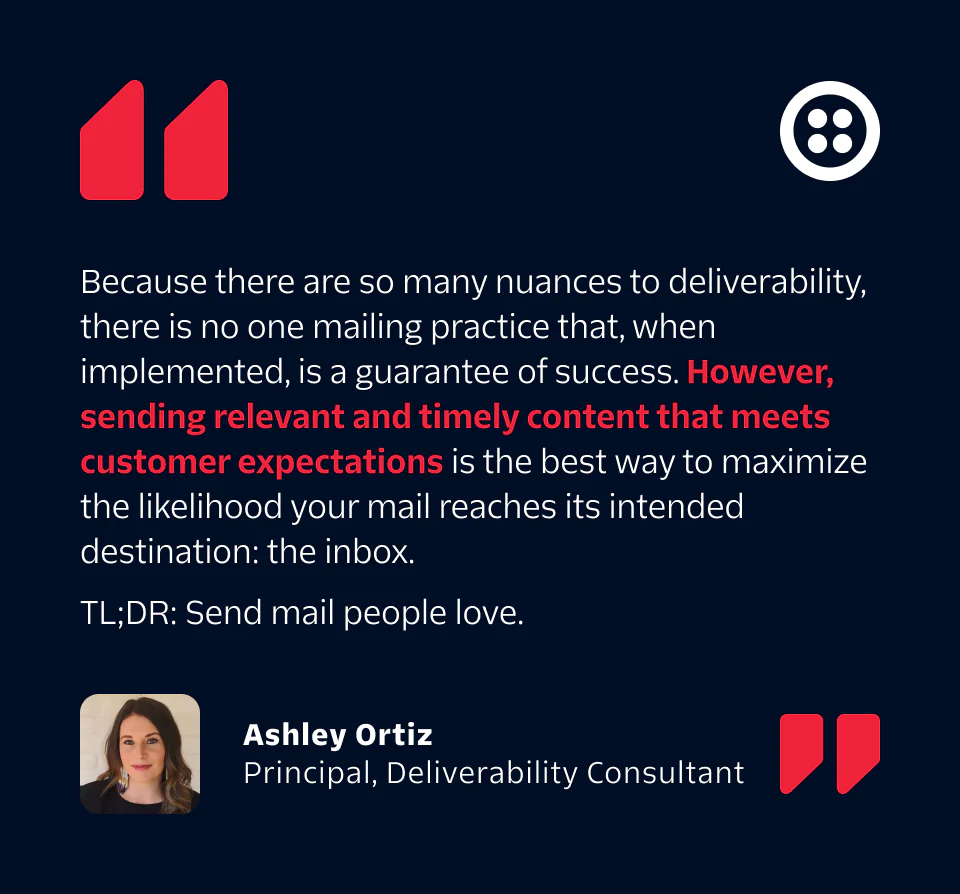
In fact, ISPs and anti-spam organizations intentionally plant email addresses to catch spammers and list buyers. These could be email addresses that never signed up to receive communications (AKA pristine spam traps or honeypots) or emails that haven’t been used recently (AKA recycled spam traps), but each pose a threat to your sending reputation.
For this reason, it’s important to avoid renting, scraping, or purchasing email addresses, as those recipients did not sign up to receive your content and will likely provide little to no engagement. Instead, focus on building a healthy, engaged contact list over time. As your list grows, avoid these spam traps by periodically removing recipients that no longer engage with your emails or have gone long periods without engagement.
Check out these additional resources:
BEST PRACTICE TIP:
What is list scraping?
List scraping or list harvesting is the process of using software or a bot to crawl through different websites and find email addresses that can be added to your contact list. The problem with this strategy is that they (and their respective recipients) have no relationship with you or your company, which means that you shouldn’t be sending them any email. Only send your emails to people who have indicated an interest in your product or service or asked for your emails outright. Otherwise, you’re at risk for spam complaints and a damaged sender reputation.
Invalid email addresses
Continuing to send email to large groups of invalid or nonexistent email addresses is a big red flag for inbox providers and can damage your sending reputation. Here are a few tips on how to remove invalid email addresses:
Regularly clean your active mailing list to remove bounced and non-engaged email addresses to guarantee your lists remain clean and engaged.
Send confirmation emails to new recipients. This process validates their email and confirms that they want your messages. This guarantees everyone on your list willingly and knowingly signed up to receive your messages.
Send welcome emails to gauge the use and validity of an email address. You can set up an automated workflow to remove these invalid recipients from your mailing list if your welcome emails bounce.
“If your primary focus when sending email is to reach as large an audience as possible, it’s likely that you won’t have a very successful email program,” says Alex Price, Twilio Deliverability Consultant.
BEST PRACTICE TIP:
Avoid "typo" traps
Avoid typo traps by making sure your address collection methodology removes typos in email addresses (e.g. local@gmall.com vs. local@gmail.com) and double-checking that recipients interact with an opt-in or subsequent welcome message before including their address in email campaigns. Use Twilio SendGrid’s Email Address Validation API to validate email addresses at signup, flag disposable domains, and suggest corrections for common typos.
“One of the things I have to work on most often with my clients is updating their list acquisition methods,” says Ashley Ortiz, a Principal Email Delivery Consultant at Twilio SendGrid. “Rather than bringing over an old list, buying a list from someone, or scraping email addresses off social networks, senders need to create opportunities for people to provide their email addresses legitimately.”
So how can you responsibly grow your email marketing list? Try leveraging other digital channels to build your email list rather than sending unsolicited emails that could damage your reputation. You can use channels like display ads to reach new potential subscribers that may be interested in signing up for your communications. Just drive interested parties to a landing page explaining the benefits of receiving your emails and collect their permission to send to them.
Additional resources:
Catch misspelled, fake, or invalid email addresses at sign-up
Use Twilio SendGrid’s email Validation API to deliver more messages to real contacts.
Blocklists (denylists)
Many inbox providers monitor blocklists to help determine which senders need to be blocked or filtered. Most blocklists will list your IP address or sending domain if they notice a high number of:
Spam trap hits
Spam or junk complaints
Or a combination of both
You can avoid blocklists by sending relevant content to recipients who have recently engaged with your emails.
Just because you’re on a blocklist doesn’t necessarily mean that your deliverability will suffer. Some blocklists have a much greater impact on deliverability than others. If you’re interested in seeing whether or not you’ve been blocklisted, we think MXToolBox is the best free lookup option.
Additional resources:
BEST PRACTICE TIP:
Be wary of pay-to-play blocklists
Not all blocklists are created equal. Some are more prominent than others and may have a larger impact on your sending reputation if you get listed. Keep in mind that some blocklists have moved to a pay-to-play model, wanting senders to pay to get delisted rather than prove their reliability as a sender. If you believe you have been blocklisted or may be targeted in pay-to-play blocklist, it’s likely time to talk to a Twilio SendGrid Delivery Consultant and get their expert advice.
Domain reputation
Your sending domain has a reputation associated with it — and it’s equally as important as your IP address’s reputation. If messages sent from your domain generate a negative response from recipients, it won’t matter what IP addresses the messages come from—they may still be filtered by inbox providers.
Watch your links to third parties—they could do more harm than good. Even if you’re doing everything else right, a single link to a disreputable website in the body of your email could prevent your message from getting to the inbox. Be sure you’re only linking to trusted websites and sources and, ideally, only those you control.
Additional domain reputation resources:
BEST PRACTICE TIP:
Pay attention to cousin domains
Cousin domains are triggers for inbox providers. For example, let’s say that company.com also uses company-mail.com, companymail.com, and companydeals.com to segment different email streams. Those extra domains could impact your deliverability, so it's important to practice responsible sending from every one of these domains.
How you monitor reputation is changing
For years, the reputation-monitoring playbook was simple: check your score in Google Postmaster Tools, panic or celebrate accordingly. That playbook is changing.
Gmail retired its reputation scores
In September 2025, Gmail retired the old version of Postmaster Tools. And with it, the domain and IP reputation scores senders had leaned on for years. Those familiar "high / medium / low / bad" ratings are gone.
Why kill a useful feature? Two likely reasons.
Sharing reputation scores gave spammers a scoreboard to game, which became a security liability.
Gmail wants senders looking at the signals that drive reputation (authentication health, spam complaints, bounce and block rates, engagement) instead of a single mystery grade.
The newer Postmaster dashboard leans into compliance: it tells you whether you meet the sender requirements, and promises more useful and actionable data over time.
Losing reputation scores stings, especially mid-diagnosis. But the fundamentals that built those scores haven't changed:
Stop sending to unengaged recipients. No recent interest, no more sends. Here's how to spot actives vs. non-actives in the post-MPP world.
Watch your negative signals. Spam complaints (keep them under 0.1%), hard bounces, block rates, and deferrals.
Make DMARC reports your primary lens. Reputation dashboards are out and DMARC monitoring is in. A tool like Valimail shows you everything sending under your domain (more on that in the DMARC section).
Lean on seedlist testing. Tools like Inbox Monster paint a picture of inbox placement and authentication health better than a single score.
Yahoo opened up new data
While Gmail closed a door, Yahoo opened one. Yahoo launched 'Insights' inside Yahoo Sender Hub, giving senders real visibility into performance with Yahoo and AOL recipients for the first time.
The headline number is your true spam complaint rate. It’s calculated against mail that reached the inbox instead of total volume. Like Google, Yahoo draws the line at 0.1% recommended and 0.3% enforcement. You also get daily sending volume with up to 180 days of history.
Create a Sender Hub account
Add your domain
Drop Yahoo's TXT record into your DNS
Verify
Data starts flowing within a day or two, assuming you clear Yahoo's minimum volume threshold.
Ultimately, no single provider hands you a tidy grade anymore. Build your reputation picture from your own metrics, DMARC reports, and seedlist testing. Treat every provider's data as one input, not the final verdict.

Maintaining your reputation and keeping recipients happy
Now that we’ve covered all of the different factors inbox providers take into account when evaluating your emails, it’s time to look at the messages you’re sending.
Like with most things, though, reputation is hard to earn and easy to lose.
The actual messages you send have a big impact on your deliverability and the ways that recipients engage with them. Below are some of our best tips for creating and sending email campaigns that engage and interest recipients:
1. Ask permission and respect it
Unlike other forms of marketing and advertising, email recipients have the choice of whether or not they open or even receive email communications from your brand. Think of your brand as being a guest in a recipient’s inbox. If you aren’t polite and respectful (or if you wear out your welcome), you’ll get kicked out.
BEST PRACTICE TIP:
Be a polite inbox guest
Be a polite guest in the inbox by asking for permission to send email to a recipient and then honoring the terms of that permission. If a recipient agrees to receive your weekly newsletter, you’re asking for trouble if you start to send them daily offers.
2. Secure your signup form
Emily Thrasher, one of our Senior Email Deliverability Consultants, recommends you secure your signup form. If your website collects email addresses via web forms and doesn’t have appropriate defenses in place, your site may become a funnel for abuse. By ignoring the risk nefarious actors pose for unsecured signup forms, you increase the risk of damaging your brand reputation.
Here are some best practices to implement with your signup forms:
Add CAPTCHA to your sign up form to prevent bot signups. Google’s free reCAPTCHA is a good option to integrate. If you use Marketing Campaigns, consider using our Signup Form solution which includes reCAPTCHA.
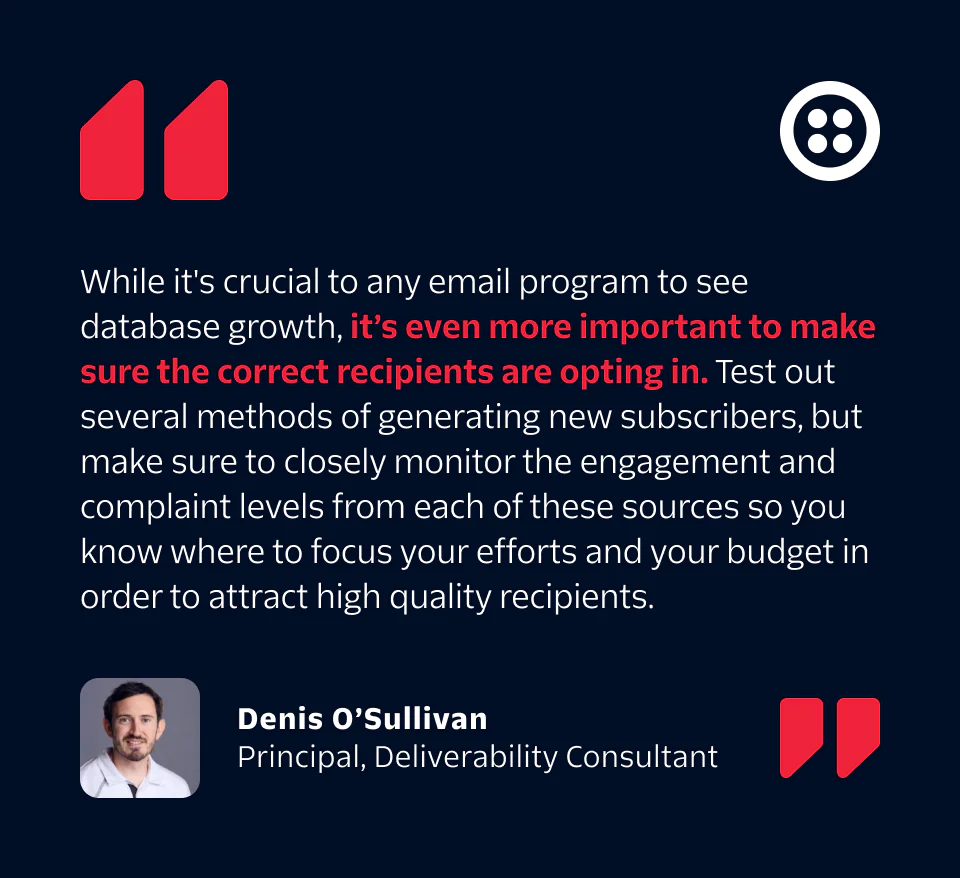
Validating email addresses helps to identify mistyped, inactive, non-existent, disposable, or shared (team@, help@) addresses that pose a risk for your list hygiene. With a clean list, you reduce your bounce rate and perform better with mailbox providers to improve delivery.
Watch for social media signups—oftentimes, users sign up with social media accounts linked to very old, if not disabled, email addresses. These types of signups are also vulnerable to abuse. Make sure you are still collecting consent and confirming opt in for users who sign up via this method.
Use double opt-in, even if the above best practices are implemented. This is the most accurate way to confirm a real human has signed up, is actively using their mailbox, and is genuinely interested in your brand. This also guarantees your email program is aligned with Twilio SendGrid’s Email Policy and complies with applicable laws, regulations, and industry standards/ guidance.
3. Create an email preference center
This goes hand-in-hand with being a welcome guest in your recipient’s inbox. An email preference center allows users to tell you exactly what types of email they’re interested in receiving. The key to a healthy email program is sending messages that people are interested in receiving.
Creating and maintaining an email preference center takes out the guesswork of knowing what your recipients care about. By simply asking your recipients exactly what they want and how often they want it, your business can create an email program tailored to their individual preferences.
4. Send a welcome message
A well-written welcome message helps set the tone for a new email relationship. Welcome messages should remind users why they signed up for your email program.
This message should arrive after sign-up as close to real-time as possible and detail what kinds of email the recipient can expect to receive from you and how often they’ll receive it. Welcome messages should also include unsubscribe and preference center links.
5. Test before you send
Before you send any emails, it’s important to test your messaging and content to know how it’ll perform when it gets to the inbox. Twilio SendGrid’s Email Testing tool helps our customers see how their emails will look across any inbox client, browser, or device, while also checking how the message will perform against the most powerful spam filters. Even little mistakes like broken links can lead to a decline in your deliverability in the long run, so testing your content before you send is crucial.
Additional resources and testing tips:
Email Testing Walkthrough and Examples: Send Flawless Emails Every Time
Email Testing | Twilio SendGrid Docs
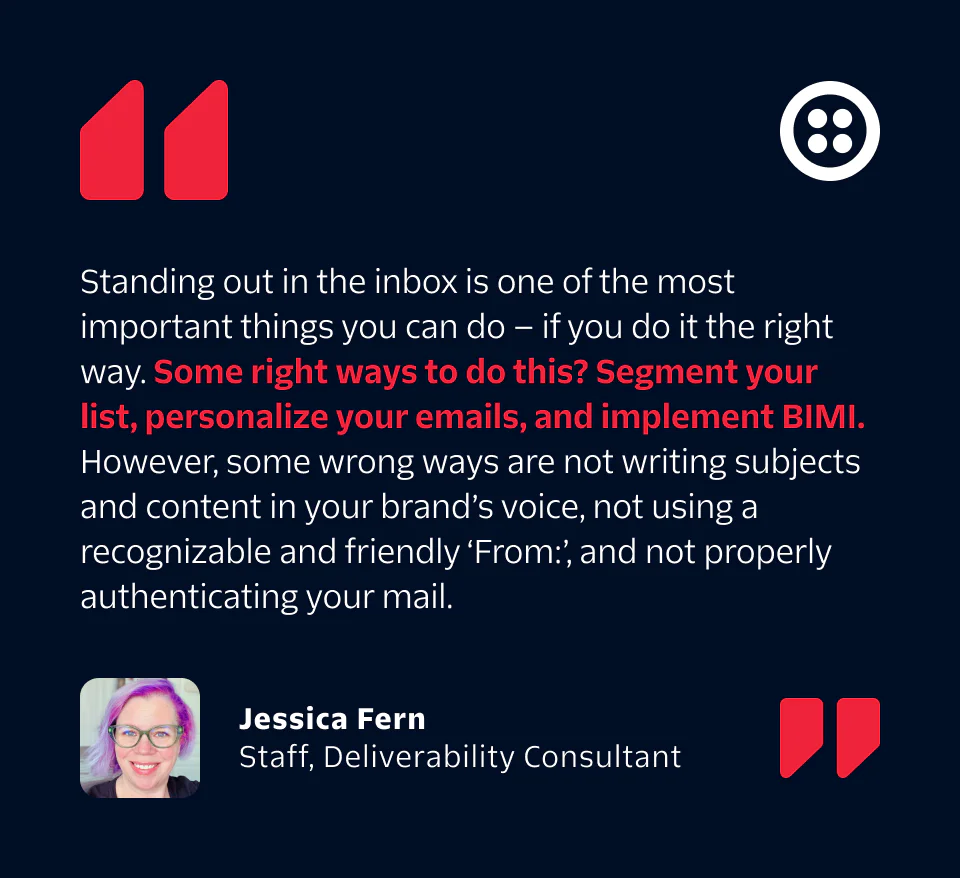
6. Segment your emails
Effectively segmenting your emails could improve your engagement, which can help lead to higher deliverability rates. New to audience segmentation? Try sending emails based on recipient:
- Timezones
- Engagement levels (those who open and/or click on your emails)
- Sign-up dates
- Purchase histories
- Gender
- Age
Grouping subscribers into these segments can allow your brand to send relevant and valuable messages that your recipients will be more likely to read and engage with.

Learn more about audience segmentation
Check out our Ultimate Email Segmentation Guide: Tips, Strategies & Examples.
7. Send personalized emails
Personalization takes many forms. It might look like using a recipient’s name in an email subject line, suggesting new products based off of their past purchase history, or sending them content based on their demographic information, like age or gender. However you choose to do it, personalizing your messages can boost your open rates and drive deeper customer engagement.
Looking to get started with personalization? Twilio Segment unifies your customer’s touch points across all platforms and channels, giving you a full picture of the customer journey so you can send the right message to the right customer at the right time.
However you choose to personalize your messages, we have just a quick word of caution. You don’t want your content to come off as invasive, so stick with information your customer either voluntarily shared with you or that you’ve collected from their past website browsing sessions.
Additional resources:
Personalize emails with Twilio Segment
Use the power of a CDP to collect, consolidate, and utilize engagement data to create better customer experiences with Segment.
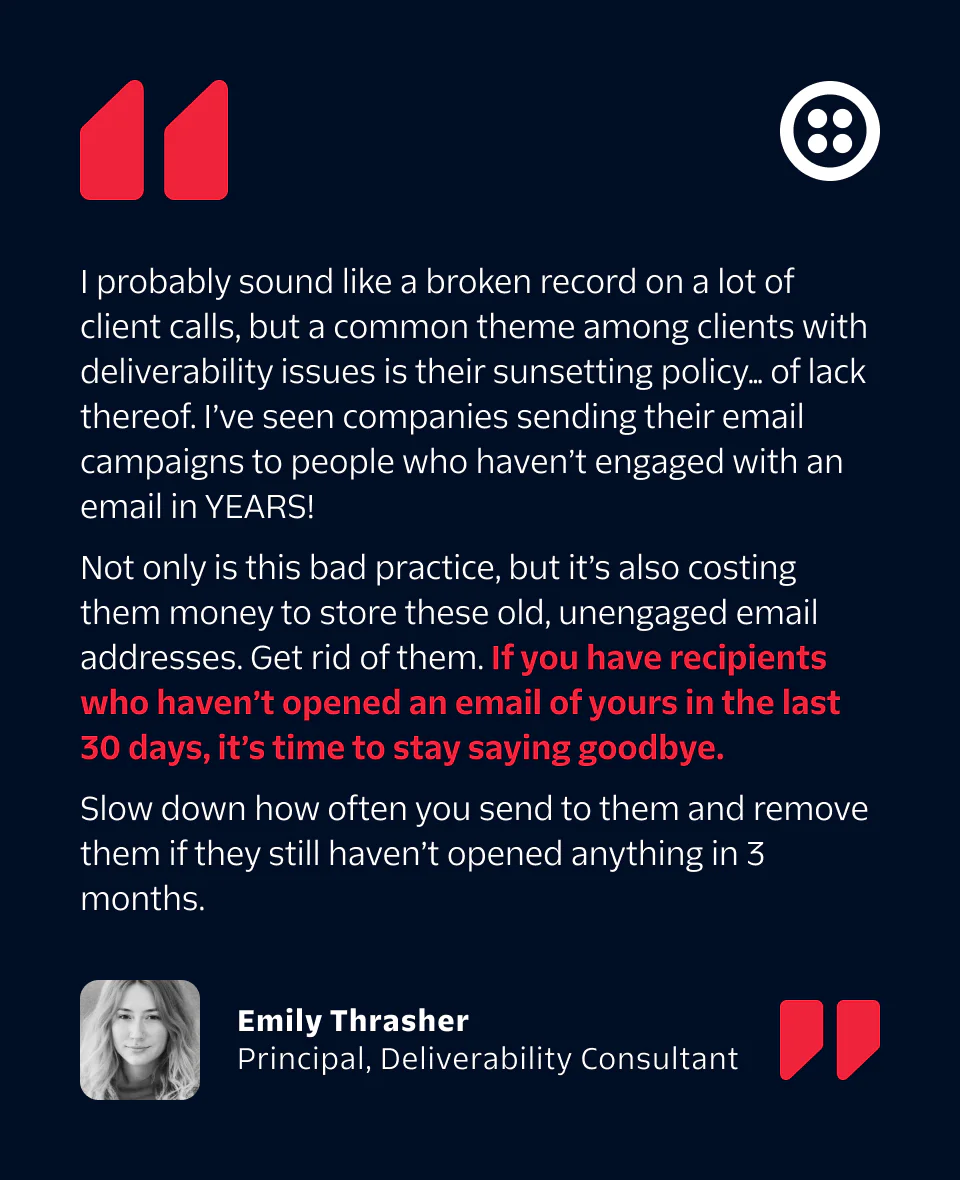
8. Remove unengaged recipients
Sending emails to recipients who no longer engage with your messages can damage your sender reputation for several reasons:
Addresses that don’t open or click on your messages are more likely to mark your messages as spam
Unengaged addresses can become spam traps
Unengaged recipients can lower your open rates, which make your messages and traffic look unwanted
That’s why it’s important to periodically “scrub” your subscriber lists, or remove inactive, bounced, and other non-engaging email addresses. You might always want to consider implementing an email sunset policy, which reduces the frequency that an email address receives campaigns or suppresses it entirely based on engagement, or lack thereof.
“Remember your recipients are humans—if you wouldn’t want to receive multiple emails a day or even a week from a brand, your recipients probably won’t either,” says Jessica Fern, Twilio Deliverability Consultant.
Instead of just outright removing an unengaged email address from your list, some sunset policies can include a reengagement campaign, which gives subscribers one last chance to keep receiving your emails. This way you can keep valuable subscribers that still want to hear from your brand on your list, while deleting users who haven’t engaged in some time.
When you get "mailbox full," "over quota," or "out of storage" responses, don't just keep sending forever. These responses often indicate inactive addresses that could eventually become spam traps if left unchecked.
Yahoo Mail recently cut its free storage from 1TB down to 20GB, and mailbox-full blocks spiked overnight. Across Twilio SendGrid, we saw 5,500% more 'mailbox full' blocks from Yahoo after the change took effect. Storage isn't just email, either—photos and documents fill it up too, so more inboxes hit the ceiling.
If your sunset policy is strict and your audience is engaged, you'll barely feel it. If you run relaxed sunset policies or lots of re-engagement sends, expect more blocks.
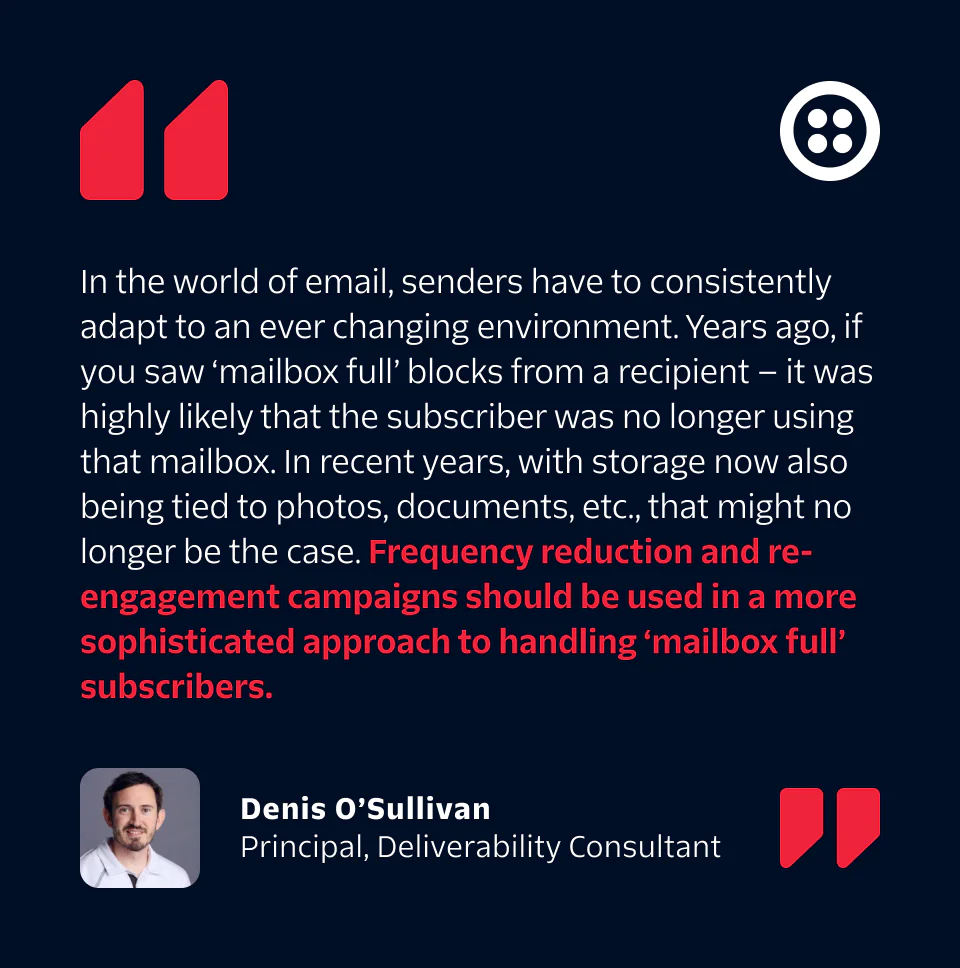
When an inbox stays full for extended periods (usually around 12 months), one of two things typically occurs:
The email address gets turned off completely (hard bounce)
It becomes a spam trap, which silently accepts your emails while damaging your reputation
Here’s how to handle mailbox full blocks: Track recurring mailbox full responses and suppress addresses that consistently show this pattern. Our data shows that only about 8.5% of mailbox-full addresses return to active status within 30 days.
9. Make it easy to unsubscribe
Although it may sound counterintuitive, making your unsubscribe process as simple and clear as possible improves the recipient experience and can benefit your sender reputation. If a recipient no longer wants or needs to receive your emails and there isn’t an easy way to unsubscribe, they’re very likely to report your content as spam or junk. Remember, someone who opts out can always opt back in later, but a spam complaint can be detrimental to your entire campaign as well as your email deliverability moving forward.
In addition to putting a clear “unsubscribe” link in your email footer, your business can also use list-unsubscribe. List-unsubscribe is an optional email header that allows recipients to remove themselves from a mailing list without clicking through an unsubscribe link or reporting a sender as spam or junk. If you implement list-unsubscribe, the major inbox providers will add unsubscribe links into the headers of your emails, which makes it easier for recipients to unsubscribe.
BEST PRACTICE TIP:
Allow your recipients to “down subscribe”
Use your email preference center to your advantage by allowing recipients to “down subscribe,” AKA allowing recipients to remove themselves from certain mailing lists or campaigns rather than removing themselves completely by unsubscribing.

Hyperfocus on user experience
Recipient engagement is one of the most critical signals impacting your sender reputation. Yes, infrastructure and authentication are important—however, top-notch wanted emails get engaged with, and engaging emails get delivered.
“It sounds easy, but if you send emails that people love and expect, it will improve your deliverability astronomically,” says Jessica Fern, Deliverability Consultant.
The inbox environment is evolving, and brands that evolve with it to prioritize the user experience will see more engagement, improved reputation, and greater deliverability. Here are a few things you’ll need to focus on to enhance your users’ inbox experiences.
Track your deliverability
Twilio SendGrid’s Deliverability Insights helps senders monitor key metrics from a simple, easy to use dashboard. Using Deliverability Insights, you can:
Track overall trends in volume, open rates, spam complaint rates, and other key metrics
Segment these metrics by mailbox provider
See dynamic tool tips designed to help you improve your email program
Determine why your emails are not landing in the inbox with 7 bounce and block classifications
Deliverability Insights gives you all the tools you need to understand the key issues facing your email program and take quick action to improve them. If your business requires more hands-on email and messaging guidance, the Twilio SendGrid Expert Services team is always available to help.
Monitor and improve email program health from a single dashboard
See first-hand how Twilio Sendgrid's Deliverability Insights can help you land in customer inboxes.
Watch Apple and Google prefetching
Apple’s launch of Mail Privacy Protection (MPP) and a renewed interest in Google prefetching opens ramped up the anonymization of email open data.
What do these “anonymized” opens mean for senders? Your company may experience inflated open rates.
If you use open rate as a key performance indicator (KPI), you could be getting an inaccurate view of how your recipients are engaging with your messages. To help, Twilio SendGrid’s Apple Open Indicator empowers our customers to identify MPP-related opens. SendGrid customers can also use our Event Webhook to search for a user agent string and identify Gmail prefetch opens.
Even with these identifiers, we still encourage all senders to rely less on open data and instead lean more heavily on alternative engagement metrics—like clicks, conversions, and app activity—to better understand which messages are actually engaging recipients.

See what your users want with A/B testing
Thoughtful A/B testing guarantees you’re listening to your recipients and continuously improving your email campaigns. A/B testing helps you dial-in your user preferences by changing one element at a time to find what your customers like best.
Do more of your users engage with a text-only email? Drop the images from your campaigns and deliver on the copy.
Do your customers open more of your messages on Tuesday or Friday? Strategize your campaigns to send when your users are most likely to engage.
A/B testing isn’t used just to boost open rates or click-through rates—it’s used to identify exactly what your users want so you can craft better email campaigns.
Understand your sending metrics
Every email you send generates a wealth of information that your business needs to collect and analyze in order to build a healthy and successful email program. From email processing data to customer engagement metrics, these powerful indicators give you insight into what parts of your email program are working and what need some extra attention.
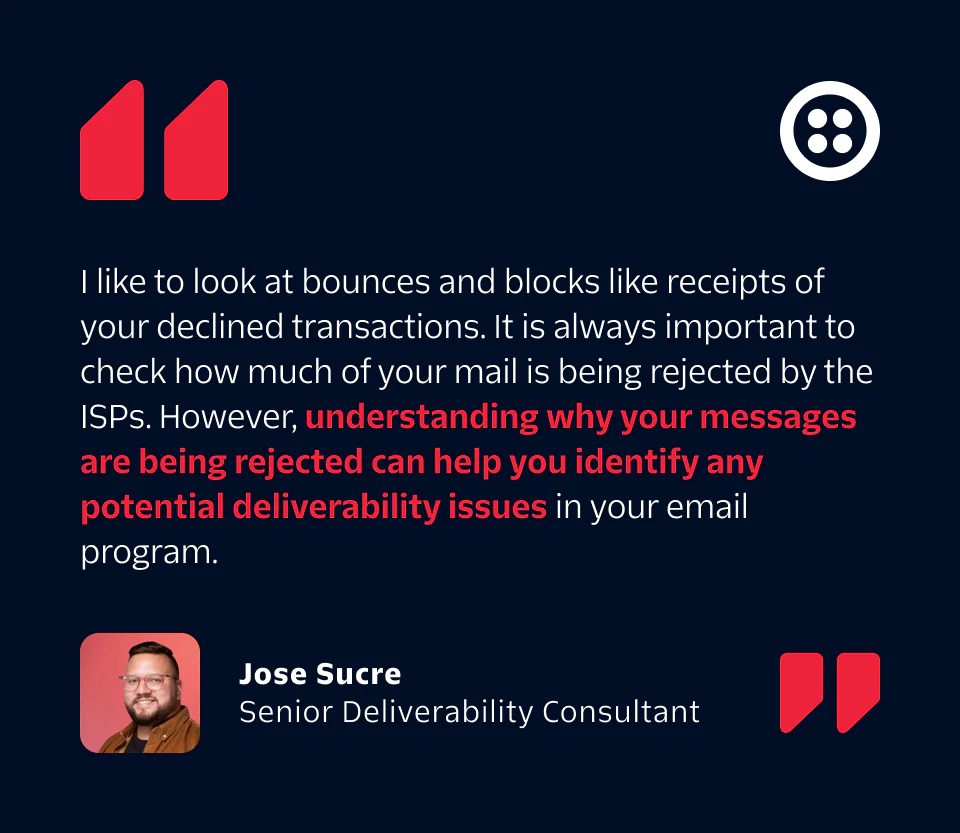
For Twilio SendGrid customers, our Event Webhook registers two types of events: delivery and engagement events. Delivery events indicate the status of email delivery to the recipient, while engagement events indicate how the recipient is interacting with the email.
The primary events of email
Processed: Twilio SendGrid has received your message and it’s ready to be delivered.
Dropped: Some emails will be dropped (meaning not delivered) due to spam content, unsubscribe email addresses, bounced addresses, and more.
Deferred: Email can’t always be delivered immediately. When it can’t, the email is deferred (often called a soft bounce)—we’ll continue trying to send your message for up to 72 hours. After that, the deferral turns into a block.
Bounce: If a server doesn’t deliver your message, you’ll see a bounce. A bounce will help you know if you have invalid or outdated email addresses.
Delivered: Your message has been successfully delivered to the receiving server. That doesn’t mean it’s landed in the inbox, though—it could have ended up in the spam folder.
Open: Your recipient has opened your email message.
Click: Your recipient has clicked on a link within the message.
Spam Report: Your recipient has marked the email as spam.
Unsubscribe: Your recipient has clicked the link to unsubscribe from your mailings.
The complete email metrics guide (with formulas)
Find the right metrics for your campaign goals and get the full picture of your email performance today.
BEST PRACTICE TIP:
Optimize for dark mode
Each inbox provider renders your HTML emails differently, but there are a couple of general best practices you can follow to make sure your email looks great regardless of the color scheme. First, enable Dark Mode in your email’s HTML and CSS. Second, optimize your transparent logos and images to look good with both light and dark color schemes—this is especially important if your PNG contains black text.
Create with accessibility in mind
One billion people (~15% of the world’s population) have some form of disability, ranging from hearing and vision impairment to loss of motor control. Certain disabilities may make it harder for your recipients to engage with your digital content. As a sender, ensuring your emails are accessible to everyone can make all the difference to your recipients.
Mozilla’s MDN defines accessibility as “the practice of making your websites usable by as many people as possible.” That doesn’t just limit catering to disabilities, either—that includes those with slower internet speeds, lower-quality devices, and other barriers. Better accessibility means better engagement, and better engagement leads to fewer unsubscribes and spam complaints.
Leverage color thoughtfully, use sufficient contrast, and add alt-text on all images so every one of your recipients can easily read and interact with your email content.
While there’s no single paramount law to make your digital content accessible, the World Wide Web Consortium (W3C) sets forth modern-day best practices in their Web Content Accessibility Guidelines, or WCAG guide. It’s important to note, however, that some industries must follow certain guidelines to make content accessible by all (finance, government, etc.), so make sure you review The Americans with Disabilities Act (ADA) to ensure your digital content is compliant.
Avoid communications fatigue
Recipients know exactly what they want from senders and will unsubscribe or report emails as spam if they are feeling communications fatigue.
We define communications fatigue as the feeling recipients get when they receive more emails than they want from a sender. This could happen for a variety of reasons: the recipient could have a change in interest, there could be a lack of access to an email preference center or even a change in your sending frequency.
Recipients are much more likely to forgive their favorite senders for sending multiple or repetitive emails, simply because they like their content. So long as they are interested in your product, service, or content, they may be interested in higher rates of communication.
As a sender, you’ll need to identify these high-volume recipients and determine how frequently they want to receive emails (once a day, once a week, etc.).
Often, however, these high-volume recipients are not the norm. For many recipients, receiving plenty of emails over a short period of time can be a turnoff and lead to deletion or unsubscribes.
You’ll also need to keep in mind your business’s collective communications with each recipient. While you may only send a recipient a few marketing emails a week, keep in mind they may also be receiving SMS, display ads, LinkedIn InMails, and more from your brand. Too much contact on too many channels begins to feel like an invasion of privacy and a bit spammy—so make sure you approach your email with a holistic view.
Infrastructure and authentication
Infrastructure often refers to the IP addresses and servers you’re using to send email, while authentication refers to the validation techniques you use to show that email coming from you is in fact yours. Your email infrastructure is what goes on behind the scenes to ensure your messages get to your recipient’s inbox.
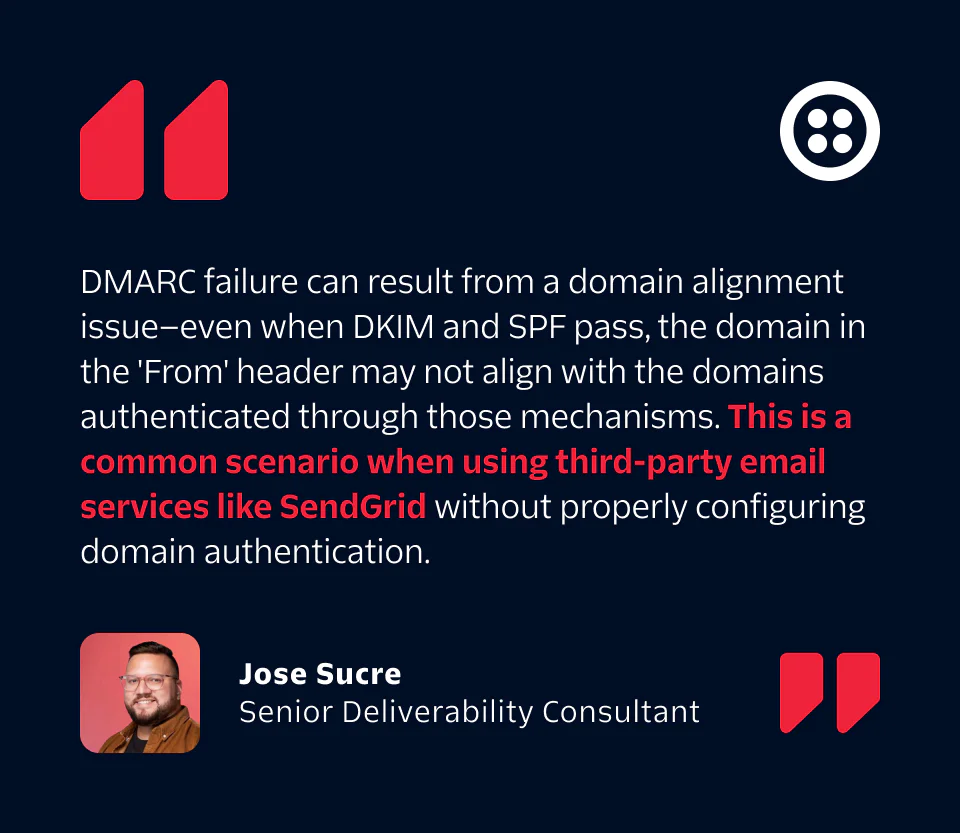
Properly configuring your infrastructure can make or break your email deliverability. We’ll walk you through the basics below to get you up and running.
Setting up your email infrastructure with Twilio SendGrid
Check out our step-by-step guide to learn the process of setting up your infrastructure and authenticating your email.
Dedicated IP address
All email is delivered over an IP address. Inbox providers use your IP address to judge your sending reputation when determining whether or not to deliver your email to the recipient’s inbox.
If you’re a high-volume sender who wants to make sure you’re in complete control of your sending reputation, you’re going to need dedicated IP addresses. Here’s why:
If you’re sharing an IP address with other senders, their poor sending practices could impact your deliverability.
With your own dedicated IP address, you’re in full control of your sending reputation and the impact it makes on your deliverability.
If you send over 50k emails per month, a consistent sending pattern could help you build a solid reputation on a dedicated IP address. You’ll also be able to take advantage of other services for improved email deliverability.
Sharing an IP address can be a great solution, especially if you’re a low volume sender sending less than 50k emails per month. In fact, if you’re fortunate to end up with a cohort of senders following email best practices, you could reap the rewards of a reputable IP address. However, many of Twilio SendGrid’s lower volume senders choose to upgrade their accounts to claim the benefits of a dedicated IP.

IP warmup
If you’re sending email over a new IP address, you’ll need to properly warm up your IP to help inbox providers deliver your emails.
Warm up an IP address by sending a low volume of email on your new dedicated IP and then slowly increasing the number of messages over time. This provides internet service providers (ISPs) time to recognize, identify, and evaluate your sending practices to make sure you’re a legitimate sender.
Once you’ve hit your predicted usual sending volumes and your IP is warmed up, you can send like normal. At this point, ISPs should have a clear understanding of how much email you’ll be sending so they can better identify unusual or dangerous behaviors.
Email guide for IP warm up
Get a handle on your new IP’s reputation, warm it up the right way, and improve email deliverability.
Email stream IP segmentation
Sharing a root domain across email streams (transactional vs. marketing) will combine reputations into each other. This can lead to deliverability issues if one of your streams is receiving more spam complaints or less engagement than the other. To avoid potentially damaging your transactional email delivery, segment your different email streams onto multiple IP addresses and subdomains.
For example, you may want to send all your transactional emails (password resets, confirmations, notifications, etc.) on one IP address and all your marketing emails (newsletters, promotions, product announcements) on another IP address. This way, if your marketing emails are flagged as spam, you won’t encounter deliverability issues on your essential transactional mail.
The most basic separation is at the level of marketing and transactional messages. These mail streams often have very different reputations and must comply with CAN-SPAM differently. For companies with multiple brands, it may be wise to separate the traffic by IP for each brand, and then further separate the marketing and transactional mail streams under each brand to provide granular reporting and reputation management.
BEST PRACTICE TIP:
Use a different IP address for win-back campaigns
According to postmasters we’ve spoken with, win-back (or reactivation) campaigns often have the poorest deliverability and highest spam complaints of any mailstream. Consider an ongoing drip campaign of reactivation emails (just a few hundred at a time) instead of a large one-time reactivation campaign to keep the volume of complaints low. You might also consider using a different IP so that you don’t potentially damage your primary IP/domain.
SPF record creation
SPF stands for sender policy framework and is an email authentication method that identifies the mail servers that are approved to send email from a specific domain. ISPs use this validation protocol to determine when spammers and phishers are trying to impersonate your brand to send malicious emails from your domain.
DKIM email signature
DKIM stands for DomainKeys Identified Mail and allows you to publish a key that ISPs use to verify that the email message didn’t change in transit and the sender can take ownership of the content. DKIM defends against malicious modification of messages in transit, and it carries a lot of reputation weight with inbox providers.
DMARC record publishing
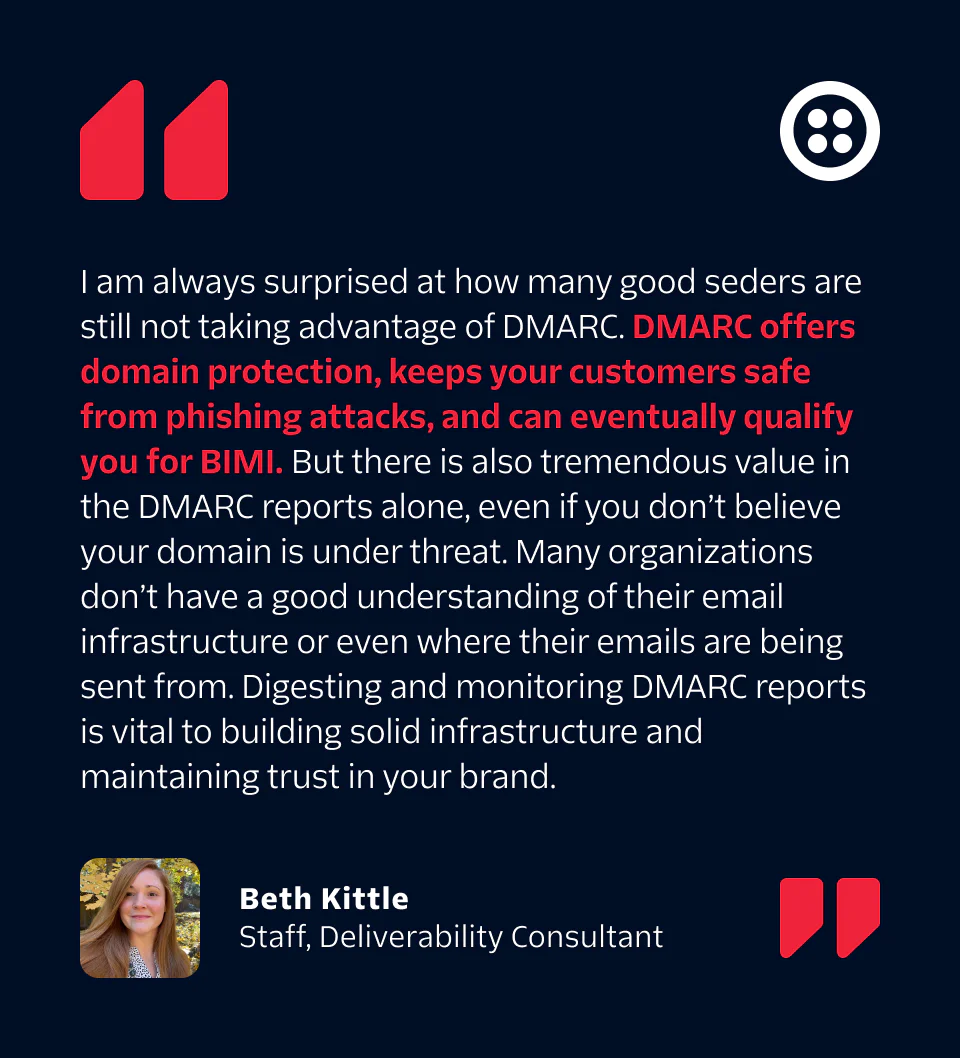
Domain-based Message Authentication, Reporting & Conformance (DMARC) record is a protocol that builds on SPF and DKIM to protect against email spoofing. It allows you to specify how ISPs should handle emails that fail SPF or DKIM checks. Implementing DMARC enhances domain protection, helps prevent phishing attacks, and can qualify you for BIMI (Brand Indicators for Message Identification).
Publishing a DMARC record is step one. Getting real protection out of it means going to enforcement. However, if any of your legitimate mail isn't passing authentication, enforcement will block your own email. That's where DMARC monitoring comes in. Monitoring means reviewing your DMARC reports to see what's sending from your domain and whether it's passing.
Still, raw DMARC reports are just XML data dumps. Readable by machines, punishing for humans. A monitoring tool turns that mess into a dashboard. Valimail, our partner in zero-trust email security, offers its DMARC Monitor tool free to every Twilio SendGrid customer.
Publish your DMARC record with Valimail's reporting inbox in the rua tag, so reports feed straight to the dashboard.
Create your free DMARC Monitor account once the record is live in your DNS.
Verify your sender sources. Review every service sending under your domain. Don't recognize one? It might be a rogue team…or someone spoofing you.
Reach enforcement. Once all your valid mail passes, move your policy to quarantine or reject.
Keep monitoring. New sending services show up over time. Watch the daily reports so nothing slips through.
Brand Indicators for Message Identification (BIMI)
BIMI stands for Brand Indicators for Message Identification and is a standard that attaches your brand’s logo to your authenticated email messages. With this simple, visual verification, recipients can recognize and trust the messages you send straight from the inbox view.
BIMI displays your brand’s logo next to your emails in the inbox, increasing consumer trust in a message and helping build brand awareness.
Transport layer security
Transport Layer Security, or TLS, encrypts email while it’s being delivered. This prevents someone from reading the mail traffic as it moves between the sending and receiving servers. TLS has become a widely adopted security protocol to protect sensitive information and communications over email channels.
Feedback loops
Spam feedback loops (FBLs) are offered by most mailbox providers to let you know when recipients mark messages as spam. Immediately remove the addresses of spam reporters from your active email lists to maintain your sending reputation and the respect of your audience.
“postmaster” and “abuse” mailboxes
To access FBLs, many inbox providers require that you have abuse@ and postmaster@ email addresses. Monitor these mailboxes for complaints from inbox providers that don’t have FBLs so you can address any reports of unsolicited email.
Two-factor authentication
Two-factor authentication (2FA) is another layer of security protection you can add to your email account. If malicious users get access to your account, their fraudulent activity will very likely damage your sending reputation, even if you are able to recover from the hack.
Our Delivery Consultants are authentication connoisseurs and can guide you through the process
Get help with your infrastructure and authentication.

Privacy & compliance in a world of engagement
From Canadian Anti-Spam Legislation to the General Data Protection Regulation (GDPR), global privacy trends are consistently moving to provide recipients with more and more control over how their data is used and the types of communication they prefer to receive.
In a global marketplace, most senders should be compliant with the strictest legislation that impacts their sending. For example, if you’re sending any email to recipients in the European Union, you need to make sure that all of your practices are compliant with the GDPR.
Compliance, however, isn’t only about doing what’s required. In fact, compliance with these new privacy laws will almost always help senders receive better results for their marketing efforts. When you set clear expectations about how a recipient’s data will be used, and the types of communications they should expect from a sender at the point of address collection, those recipients tend to be much more engaged with the email they receive. Engaged recipients (who aren’t reporting messages as spam) are who inbox providers look to for guidance when deciding which messages to deliver to the inbox and which ones to block at the gateway.
Think of user permissions and legal compliance requirements as an opportunity. Frame your approach to compliance with the recipient’s experience, and you may have more success getting your emails into the inbox.
CAN-SPAM
In 2003, the United States Congress passed the Controlling the Assault of Non-Solicited Pornography and Marketing Act of 2003, or CAN-SPAM Act. CAN-SPAM slowed the influx of unsolicited emails the world saw in the early 2000s by creating restrictions on the way commercial emails are sent and giving recipients privacy and protection. CAN-SPAM remains in effect today.
The FTC defines commercial email as any “electronic mail message the… purpose of which is the commercial advertisement or promotion of a… product or service.” If your business sends commercial emails of any kind, CAN-SPAM and its legal requirements of commercial entities should be on your radar.
General Data Protection Regulation (GDPR)
The General Data Protection Regulation is one of the most hot-button topics related to email in the last decade. If your business works within the European Union or with its citizens, the GDPR should be top of mind when developing your international email strategy.
The GDPR updated and replaced the EU Data Protection Directive (1995) and applies to the entirety of the European Union as the de facto standard defining how companies can use customer data.
GDPR outlines the principles related to the processing of personal data.
The GDPR applies to all EU businesses, regardless of size or industry, that handle personal data, as well as any organization doing business in the EU where EU citizens’ data is involved.
California Consumer Privacy Act
The California Consumer Privacy Act (CCPA) became enforceable by the California Attorney General on July 1, 2020. The CCPA grants consumers considerably more control over their data and how it is used, but only applies to businesses within specific categories. It applies only to businesses that hit specific thresholds, but if you send email to Californians, it should be on your radar.
The California Privacy Rights Act (CPRA) amended and expanded the CCPA, adding new consumer rights and a dedicated enforcement agency. And California isn't sending alone anymore. A growing list of states (Virginia, Colorado, Connecticut, Utah, Texas, and more) have passed their own comprehensive privacy laws, each with its own subtleties.
Compliance with CAN-SPAM and the GDPR do not ensure compliance with the CCPA. There are subtleties unique to each law that do not always overlap, so be sure to know how each law affects your strategy.
Consent for tracking pixels
Open tracking pixels have been email marketing standards for decades. France's data regulator put them on notice, though.
The CNIL, France's privacy authority, ruled that open tracking pixels should be treated like cookies. Under European rules, storing or accessing non-essential data for analytics or marketing requires explicit consent. So if your emails to French recipients carry tracking pixels, you now need permission to use that data.
This consent is separate from permission to email someone. Someone opting into your newsletter has not opted into being tracked.
If you send to France, act now: tell recipients you use tracking pixels, give them an easy way to opt out, and review whether your current use falls inside the deliverability exception.

Apple Mail Privacy Protection (MPP)
Apple has been reshaping email measurement and presentation since 2021, and the changes keep coming. What started with privacy protection has evolved into AI-powered inbox experiences that fundamentally alter how your emails get seen and engaged with.
MPP anonymizes open tracking by prefetching email content before the recipient actually opens the email. This means that open rates reported for MPP-enabled recipients may be inflated or misleading. As a result, email marketers can no longer rely solely on open rates to gauge engagement accurately. Instead, they need to focus on alternative metrics such as click tracking, conversion rates, and other forms of engagement.
Important note: While MPP changes how opens are reported, those opens aren't invalid. Suppressing recipients based on MPP opens can lead to unnecessary loss of engaged subscribers.
Twilio SendGrid developed an entire guide on Apple MPP to help senders understand the impact and complications around Apple’s new privacy measure.
Helpful email deliverability tools
We’ve mentioned a lot of helpful tools throughout this guide, but we won’t make you read through it all again to find them all.
Below, we’ve listed and linked to the top email deliverability tools your brand can use:
Twilio SendGrid Email Validation API: Improve deliverability by validating email addresses before you send.
Twilio SendGrid Email Testing: Avoid common mistakes in your email content.
Valimail: Improve your deliverability and protect your brand, customers, partners, and employees with automated DMARC / DKIM / SPF.
Talos IP & Domain Reputation Center:Get real-time alerts on network and software vulnerabilities worldwide.
MXToolbox Blacklist Check:Check to see if your mail server has been blacklisted.
Microsoft’s Smart Network Data Services (SNDS): Track your sender reputation and activity across Microsoft’s Outlook consumer domains.
SenderScore.org: Gauge your sender score just like you’d check your creditworthiness.
Inbox Monster: Email reputation tool that monitors your spam trap hits, blocklistings, perform seed testing, and more.
Summary
Every year, the inbox adds new gatekeepers. This year it was Gemini, a stricter Outlook, a Gmail that stopped grading you, and a French regulator with opinions about tracking pixels.
Next year it'll be something else.
Every machine standing between you and your reader works for the recipient. Get on the right side of that, and the gatekeepers start working for you instead of against you.
Send emails people actually want.
There's no magic bullet for inbox placement. But there's one principle that has survived every algorithm change we've seen:
Send the right message, to the right person, at the right time, with the right frequency, on the right channel.
The right message: Send the types of messages your recipients are expecting to receive with the content they want.
The right person: Send email to people who have explicitly asked to receive it.
The right time: Send messages when your recipients expect to hear from you.
The right frequency: Don’t send too much email to your recipients or email them too frequently.
The right channel: Send on the channels appropriate to the message and audience.
Nail those five, and the moving targets stop feeling like moving targets. You'll land in the inbox this year, next year, and whatever the inbox turns into after that.
And when you want backup, we're here. Our Deliverability Experts are standing by to help you reach your email goals. Create a free account now to start sending, or reach out to our Expert Services to see how they can help you build a healthy and engaging email program.